Free MP3 & Audio Converter for PC Batch Convert MP3, WAV, FLAC, M4A, AAC, OGG, Opus, WMA & AC-3 on Windows
For Windows 11 & Windows 10 (64-bit) · Includes all features of this tool
Convert between all major lossy & lossless audio formats
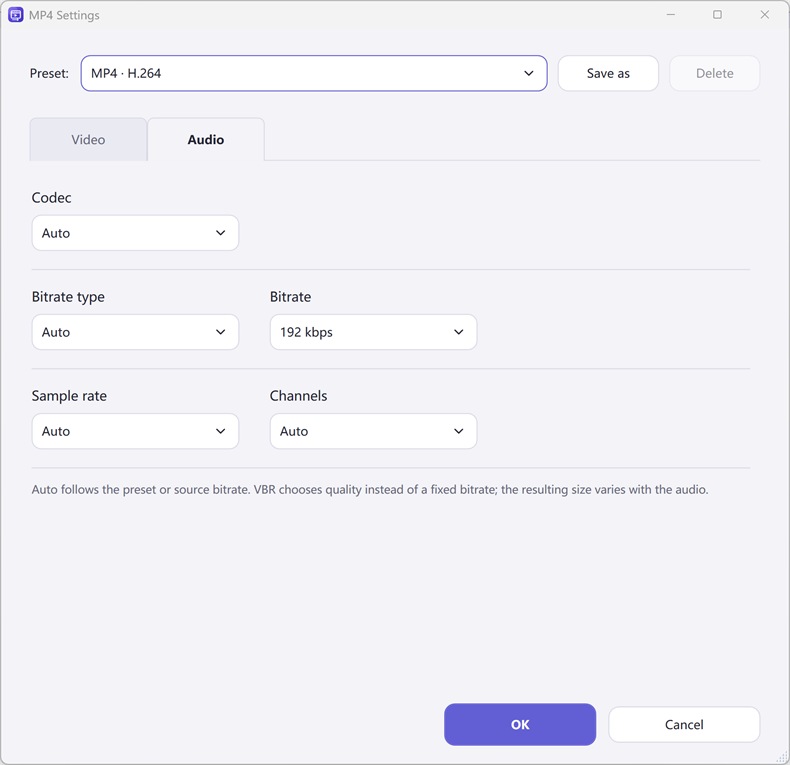
Normalize volume (-1 dB or -16 LUFS) & remove background noise
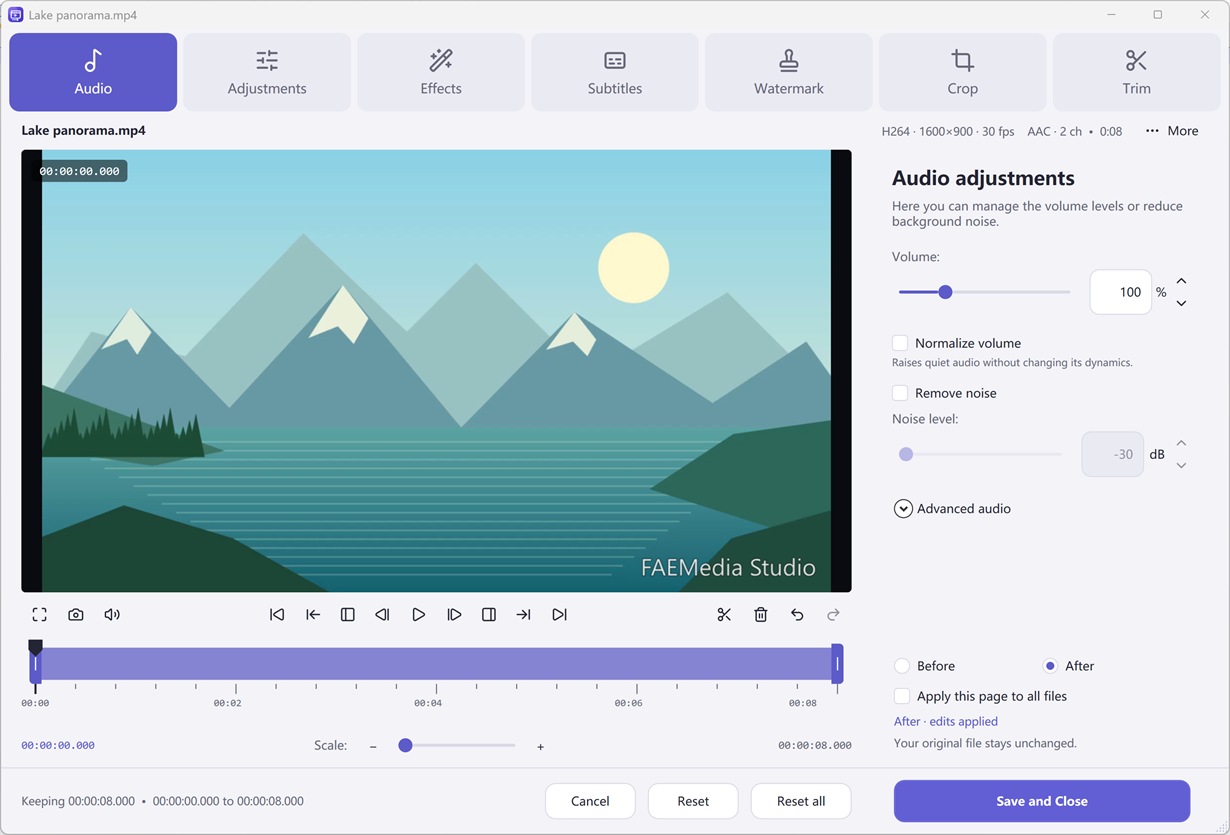
Get all features in Free Video & Audio Converter
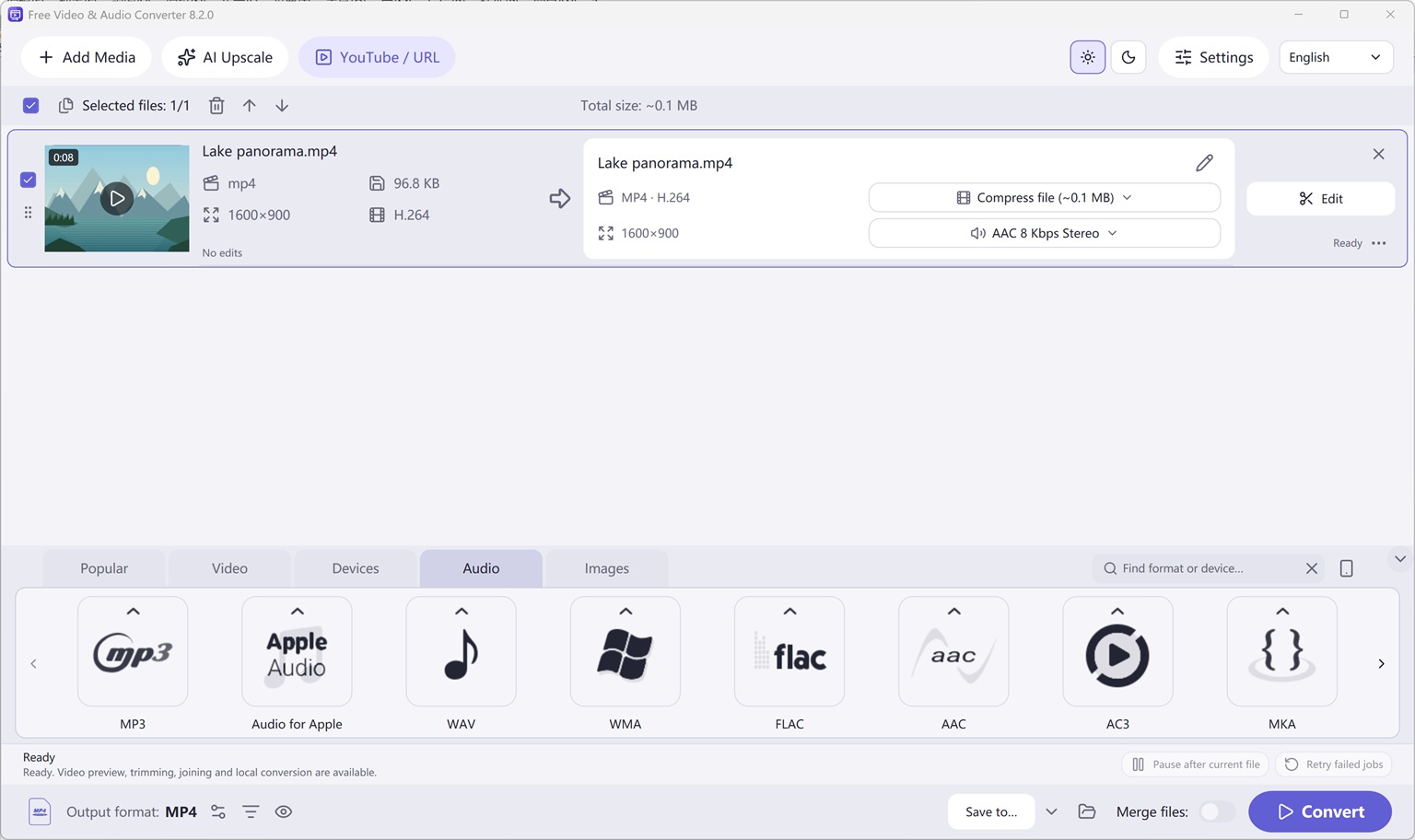
Add audio files or folders
Launch Free Video & Audio Converter and drag MP3, WAV, FLAC, WMA, M4A, OGG, or Opus files into the conversion queue.
Pick an audio preset
Select the Audio tab at the bottom, pick your target format (such as MP3 320 kbps or FLAC Lossless), and optionally adjust volume normalization.
Click Convert
Choose your output folder and click Convert. Enable Merge files if you want to join tracks into one file.
- Microsoft Windows OS: Windows 11, Windows 10 (64-bit)
- 428 Built-in Output Presets
- 100% Free Export
- No Product Watermark
- 10 Interface Languages
Two Complete Windows Desktop Programs by FAEMedia
Free Audio Editor
Precision stereo waveform & spectrogram editing, microphone + Windows system audio recording, and multi-stage voice cleanup.
- Waveform & Multitrack: Cut, trim, crossfade, zero-crossing snap, seamless loops, markers, and multitrack mixer.
- Repair Studio & Podcast Chain: De-click, de-hum, de-clip, de-ess, de-breath, voice noise reduction, 20-band EQ, compressor & LUFS loudness matching.
- Edition Rights: Audio editing, project saving, and WAV export are free without registration. Registration (Upgrade) unlocks MP3, FLAC, ALAC, AAC, OGG, Opus, WMA & additional export formats.
Free Video & Audio Converter
Unifies Free Audio Converter, Free Video to Audio Converter, Easy Audio Extractor, Easy Video Switch, and Easy YouTube to MP3 Converter in one application.
- 428 Built-in Presets: Convert video (MP4, MKV, MOV, AVI, HEVC, AV1), audio (MP3, FLAC, WAV, AAC, M4A, OGG, Opus, WMA) & device profiles.
- Edit, Compress & Upscale: Trim, merge, crop, add subtitles or watermarks, target file-size compression, local AI upscaling & DVD/Blu-ray authoring.
- YouTube Queue & Free Export: Read online video or playlist formats, add to queue, and convert. All supported conversion & export features are free.
Try It Online — or Get the Full Version Free
Online Audio Editor
Short clip waveform preview in browser. Full recordings & Repair Studio in desktop app.
Online Audio Converter
Convert short WAV, M4A, FLAC, or OGG clips to MP3 in browser.
Online Video to Audio
Turn a short MP4, MOV, or WebM into MP3 in your tab.
Online Audio Extractor
Pull a short soundtrack segment with fade controls.
Online Video Converter
Convert a short video clip to MP4 or WebM in browser.
Frequently Asked Questions
Why does the download button install Free Video & Audio Converter?
We consolidated Free Audio Converter, Free Video to Audio Converter, Easy Audio Extractor, Easy Video Switch, and Easy YouTube to MP3 Converter into one modern Windows application: Free Video & Audio Converter. All audio conversion features are included and free.
Can I convert WMA to MP3 or WAV to WMA on Windows 11/10?
Yes. Free Video & Audio Converter natively supports WMA, WAV, MP3, FLAC, M4A/AAC, OGG, Opus, AIFF, and AC-3 as both input and output formats.