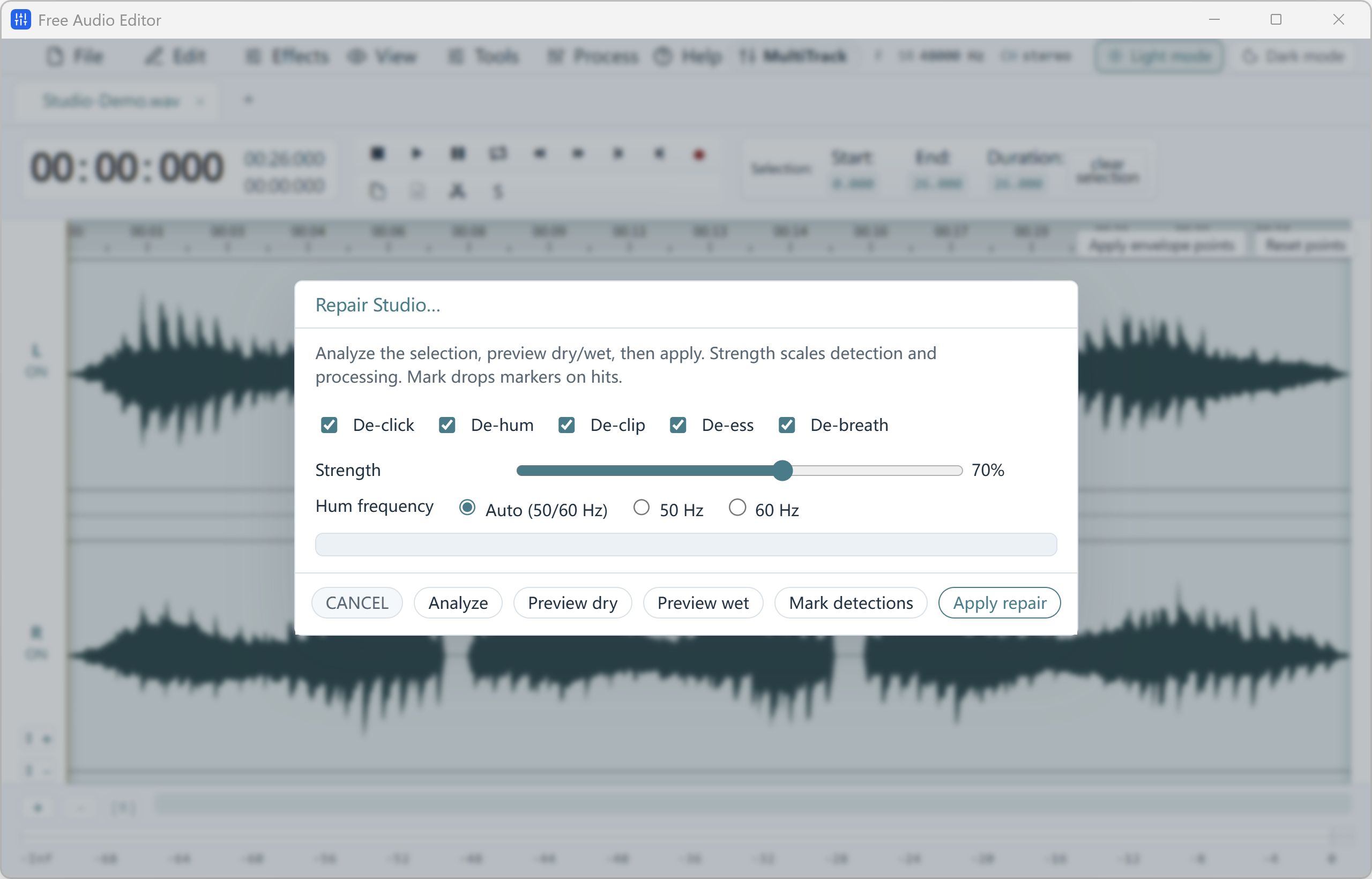
Short answer: open the recording in Free Audio Editor, run Noise Reduction (Voice) for steady hiss, use Repair Studio for clicks, hum, clipping, sibilance and breaths, then cut mistakes and level the volume. All of this is free, and you can save WAV for free.
Everything a Voice Recording Needs
- Noise Reduction (Voice) — lowers fan hiss and room noise behind speech.
- Repair Studio — De-Click, De-Hum (50/60 Hz), De-Clip, De-Ess and De-Breath with a before/after preview.
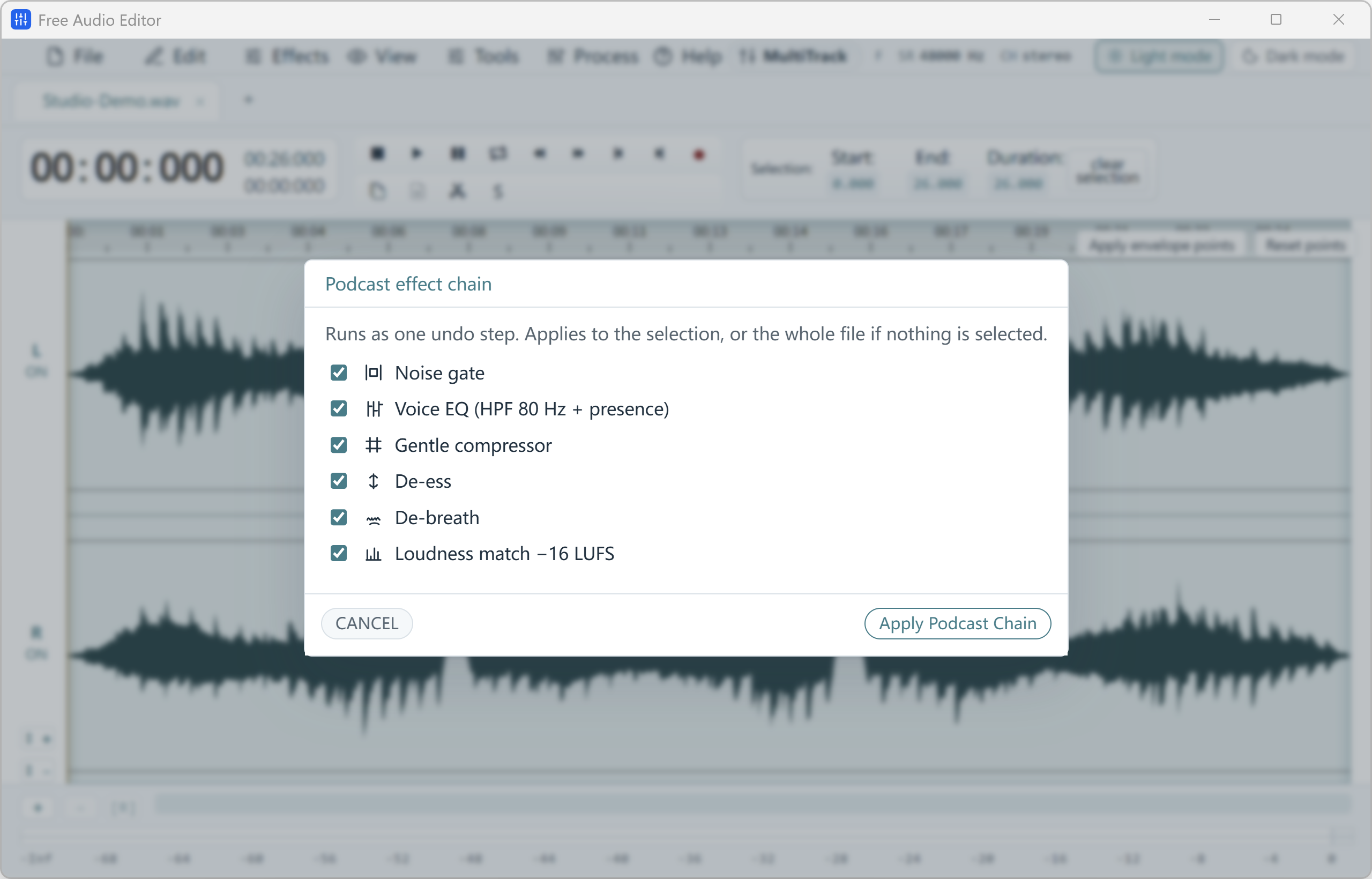
- Podcast Chain — one window to make a voice even and broadcast-ready.
- EQ and Compressor — 20-band Graphic EQ, Parametric EQ, Compressor and Limiter.
- Loudness matching — normalize or match to a LUFS target such as -16 LUFS.
- Cut mistakes — remove coughs and retakes on the waveform, or box out a beep in the Spectrogram.
How to Do It in Free Audio Editor (Step by Step)
- Step 1: Open or record
Open a voice file, or record your microphone with Tools > Record.
- Step 2: Remove noise
Run Noise Reduction (Voice), then Repair Studio for clicks, hum and breaths. Compare before and after.
- Step 3: Cut and level
Delete mistakes on the waveform, then use the Compressor, Normalize or the Podcast Chain.
- Step 4: Save
Export WAV for free, then convert to MP3 with the free converter if you need one.
Who Uses It
Podcasters, teachers recording lessons, YouTubers recording voice-overs, students cleaning lecture recordings and anyone fixing a voice note recorded on a phone.
What Is Free, and How to Get MP3 Free
Editing, recording, noise removal, effects, saving projects and exporting WAV are free in Free Audio Editor, with no watermark and no account. Saving directly to MP3, FLAC, AAC or other formats is part of the registered edition.
To stay 100% free, export WAV and convert it to MP3 with our free Free Video & Audio Converter. It converts whole folders at once, up to 320 kbps.
Frequently Asked Questions
Is Free Audio Editor a free voice editor?
Yes. Noise removal, Repair Studio, effects, cutting and saving WAV are free. Convert the WAV to MP3 free with Free Video & Audio Converter, or save MP3 directly with the registered edition.
How do I remove background noise from my voice?
Select the recording and run Noise Reduction (Voice). For clicks, hum, clipping, harsh “s” sounds and breaths, use Repair Studio and compare before and after.
How do I make my voice the same volume all the way through?
Use the Compressor and Normalize, or the Podcast Chain, which levels a voice recording in one window. Loudness matching can target -16 LUFS for podcasts.
Can I record my voice in the same program?
Yes. Record your microphone, the sound playing on your PC, or both, then edit the take right away.
Can it fix a badly damaged recording?
It can reduce noise and repair many problems, but a heavily damaged recording will not sound like new. Always compare before you apply.
Related guides: remove background noise · voice recorder for PC · record and master a podcast.