Online Video Converter Quick Browser Video Conversion — Or Get 428 Presets, GPU Speed & AI Upscaling on Windows
Convert a short video clip to MP4 or WebM in your browser without uploading. For 428 video and device presets, H.264/HEVC/AV1 GPU acceleration, target file-size compression, subtitles, watermarks, AI upscaling, and DVD/Blu-ray authoring, download Free Video & Audio Converter.
Short single-file browser preview · Full movies, folders & YouTube links in Free Video & Audio Converter
Download Free Video & Audio Converter
For Windows 11 & Windows 10 · All 428 presets free · Batch folders & YouTube URLs
Short clips run in the browser below; Full Movies, Folders & YouTube Playlists run in Free Video & Audio Converter
Convert Video to MP4 / WebM — Browser Preview
Local Browser TabOnline Video Converter Preview vs. Free Video & Audio Converter
| Capability | Online Browser Preview (This Page) | Free Video & Audio Converter (Windows) |
|---|---|---|
| Output Presets & Codecs | MP4 and WebM only (1 file under 200 MB / 15 min) | 428 built-in presets: MP4, MKV, MOV, AVI, WMV, WebM, M2TS, HEVC, AV1, ProRes & 25+ Device Families |
| Encoding Speed | Single-tab browser encoding | NVIDIA NVENC, Intel Quick Sync & AMD AMF hardware acceleration + lossless stream copy |
| Video Editing & Compression | Start/end seconds only | Visual Trim, Merge, Crop (16:9 / 9:16 / 1:1), Color Adjust, Subtitle Studio, Custom Watermark & Target MiB Compressor |
| Advanced Features | None | Local Real-ESRGAN AI Upscaling (2x/4x/8x), YouTube URL Queue & DVD/Blu-ray Authoring |
Convert unlimited files on your PC
Our browser preview tools let you test a short clip right away. When you have a full movie, an entire album folder, a codec the browser cannot decode (such as WMA, AC-3, HEVC, VOB, or M2TS), or a YouTube link, install Free Video & Audio Converter on Windows 11 or Windows 10.
Download Free Video & Audio Converter
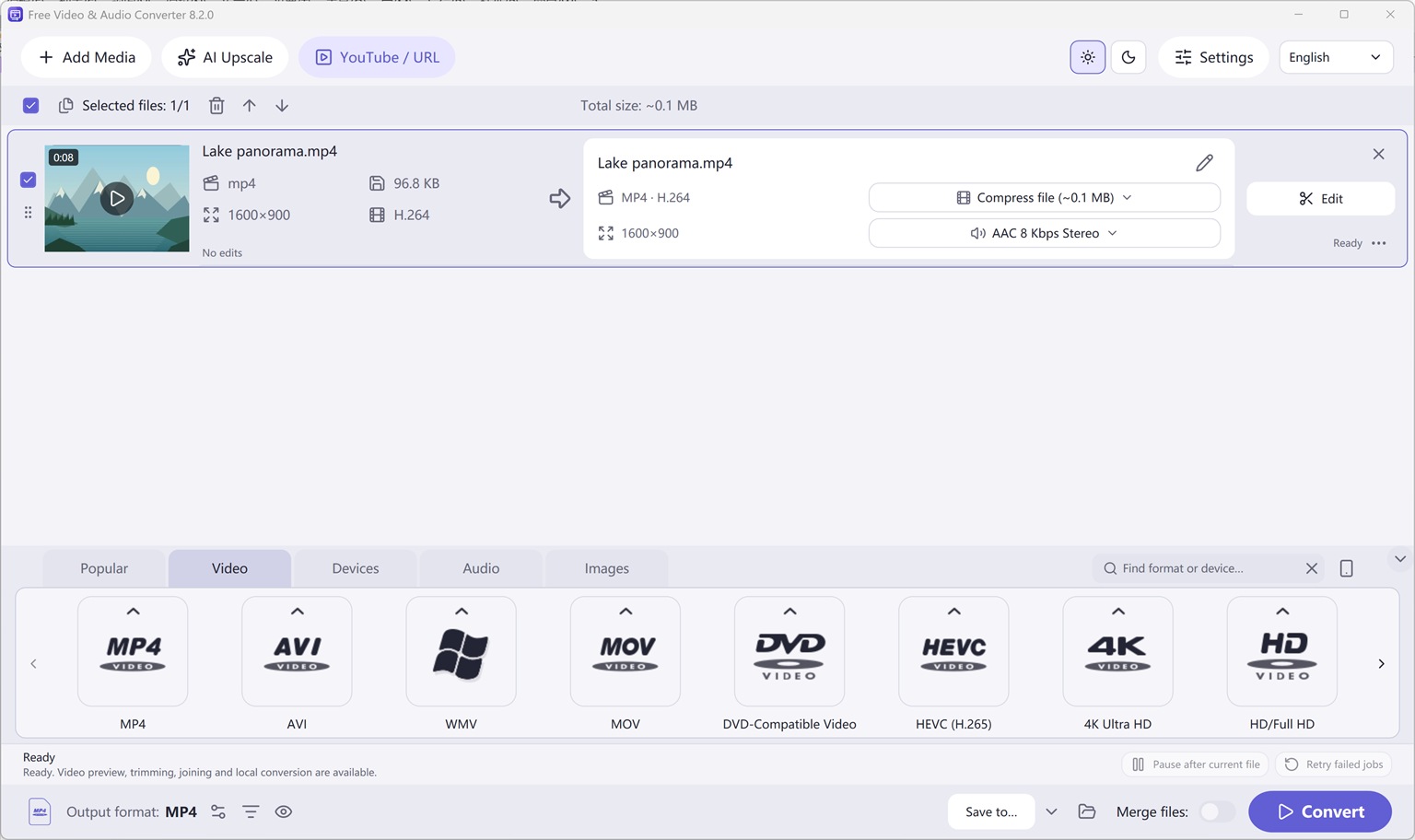
Video Format Families
Original (1536 × 912 px)
Two Complete Windows Desktop Programs by FAEMedia
Waveform Editor & Voice Studio
Free Audio Editor
Precision stereo waveform & spectrogram editing, microphone + Windows system audio recording, and multi-stage voice cleanup.
- Waveform & Multitrack: Cut, trim, crossfade, zero-crossing snap, seamless loops, markers, and multitrack mixer.
- Repair Studio & Podcast Chain: De-click, de-hum, de-clip, de-ess, de-breath, voice noise reduction, 20-band EQ, compressor & LUFS loudness matching.
- Edition Rights: Audio editing, project saving, and WAV export are free without registration. Registration (Upgrade) unlocks MP3, FLAC, ALAC, AAC, OGG, Opus, WMA & additional export formats.
All-In-One Video, Audio & YouTube Converter
Free Video & Audio Converter
Unifies Free Audio Converter, Free Video to Audio Converter, Easy Audio Extractor, Easy Video Switch, and Easy YouTube to MP3 Converter in one application.
- 428 Built-in Presets: Convert video (MP4, MKV, MOV, AVI, HEVC, AV1), audio (MP3, FLAC, WAV, AAC, M4A, OGG, Opus, WMA) & device profiles.
- Edit, Compress & Upscale: Trim, merge, crop, add subtitles or watermarks, target file-size compression, local AI upscaling & DVD/Blu-ray authoring.
- YouTube Queue & Free Export: Read online video or playlist formats, add to queue, and convert. All supported conversion & export features are free.
Try It Online — or Get the Full Version Free
Online Audio Editor
Short clip waveform preview in browser. Full recordings & Repair Studio in desktop app.
Online Audio Converter
Convert short WAV, M4A, FLAC, or OGG clips to MP3 in browser.
Online Video to Audio
Turn a short MP4, MOV, or WebM into MP3 in your tab.
Online Audio Extractor
Pull a short soundtrack segment with fade controls.
Online Video Converter
Convert a short video clip to MP4 or WebM in browser.