First: The Correct Playlist Workflow
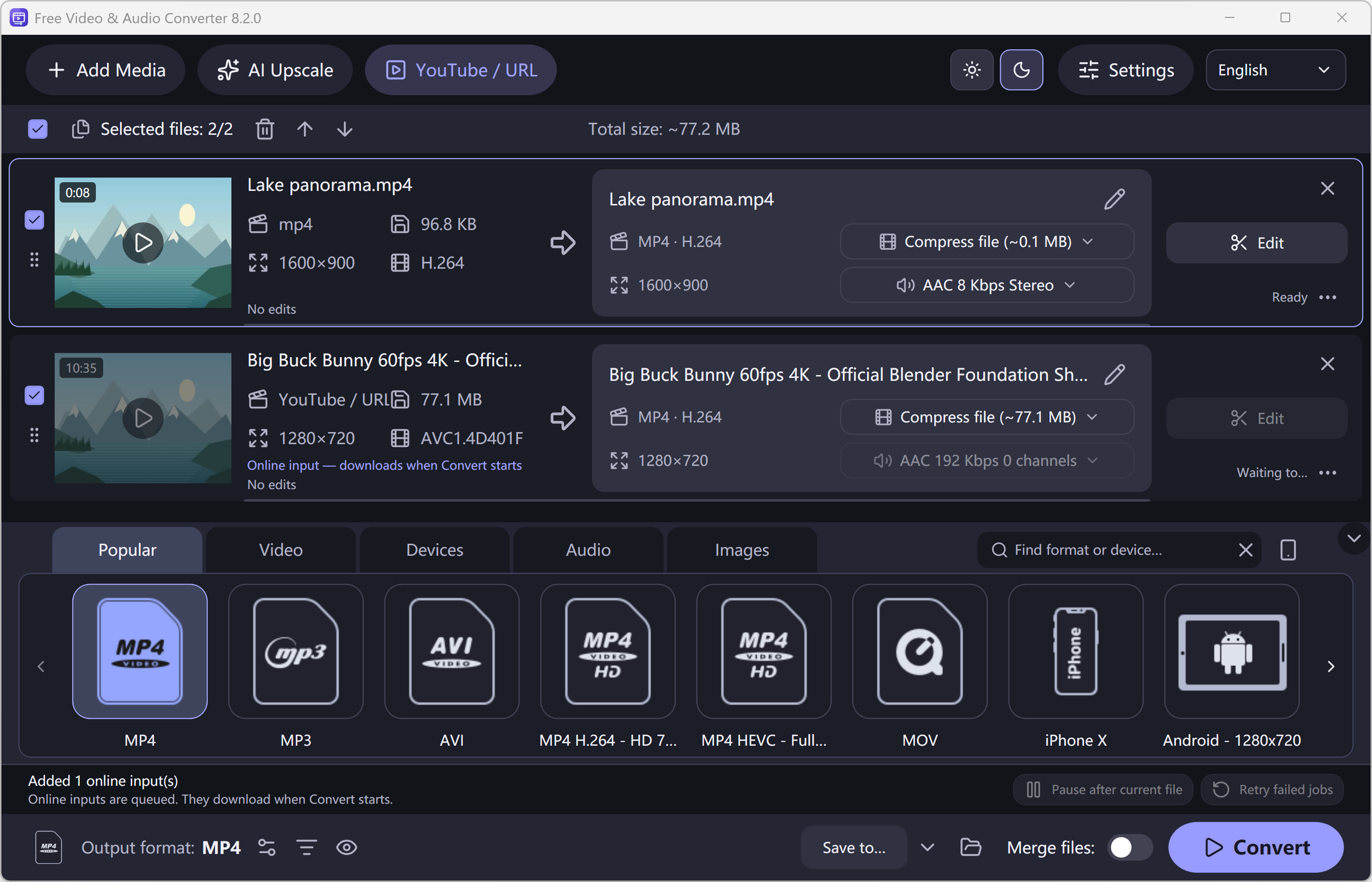
Many “not working” reports are simply a step in the wrong place. In Free Video & Audio Converter the online dialog chooses the source to download, and the main window chooses the output format:
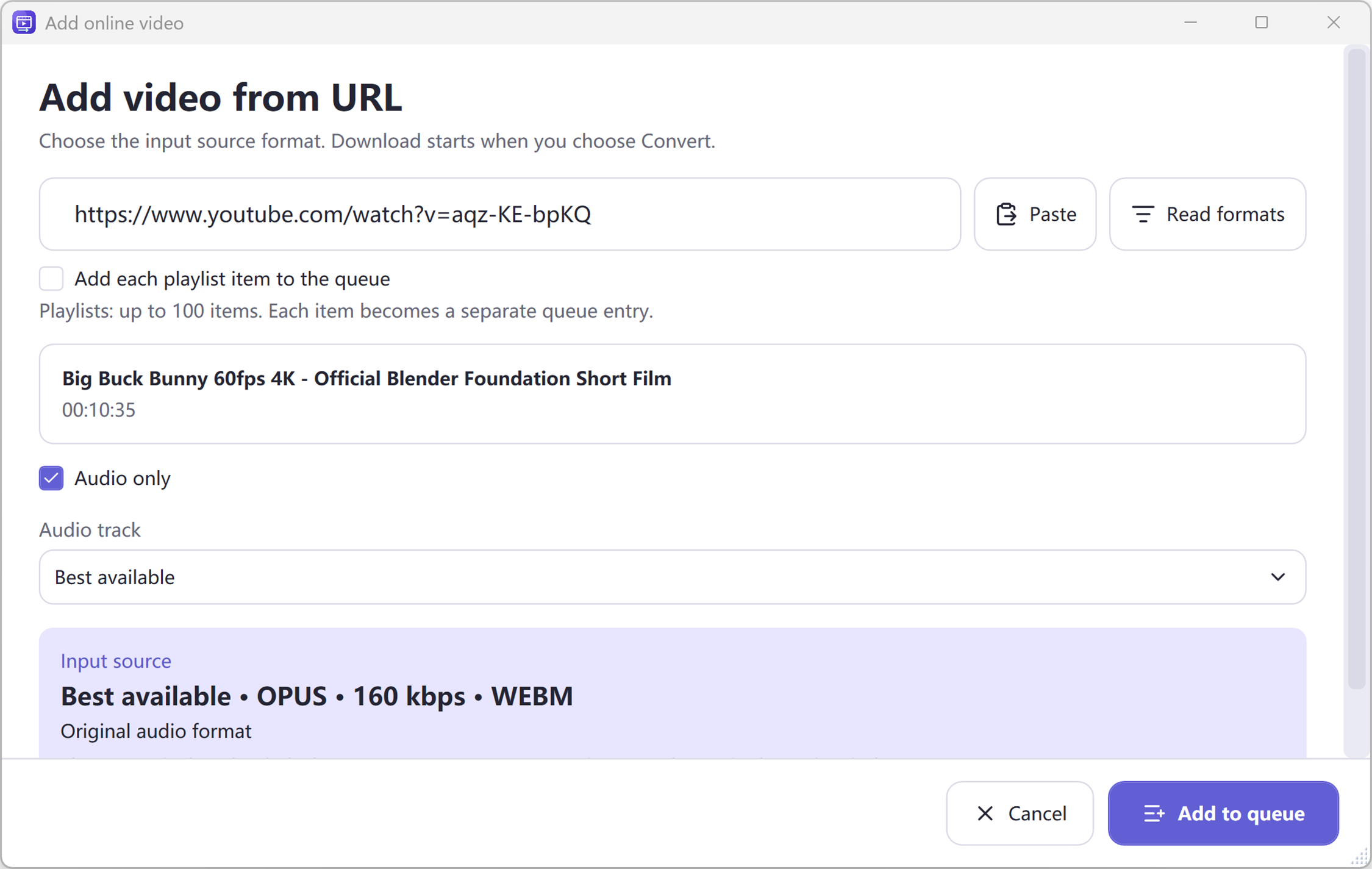
- Click YouTube / URL, paste the playlist link and enable the playlist option.
- Click Read formats. Choose Best available or Audio only as the source.
- Click Add to queue. Every video becomes its own queue entry (up to 100).
- In the main window, open Audio > MP3 and pick a bitrate such as 320 kbps.
- Click Convert. Downloading starts only now, followed by conversion to MP3.
Fixes 1–4: Problems with the Playlist Link
1. You pasted a single video link. A link like watch?v=…&list=… points to one video inside a playlist. Turn on the playlist option, or open the playlist itself on YouTube and copy the link that starts with playlist?list=.
2. The playlist is private. Downloaders cannot see private playlists, and Free Video & Audio Converter does not read your browser logins or cookies. Ask the owner to make it Public or Unlisted, or — if it is your own playlist — change its visibility in YouTube Studio.
3. It is an automatic “Mix”. YouTube Mixes (links containing list=RD) are generated for each viewer and change constantly, so they may not load like a normal playlist. Save the songs you want into a regular playlist and use that link.
4. The link is incomplete. Copy the address directly from the browser’s address bar or from YouTube’s Share > Copy button. Shortened links from chat apps sometimes lose the playlist part.
Fixes 5–8: Some Videos Fail or Nothing Downloads
5. Update the download module. YouTube changes its site regularly, and downloaders need updates to keep up. When a lookup fails, click Check and update download module, then retry. You can also check manually from the menu and turn on Check for tool updates at startup.
6. Individual videos are unavailable. Deleted, private, age-restricted, members-only or region-blocked videos cannot be downloaded, even if the rest of the playlist works. Open History to see which items failed and why, then use Retry for temporary errors.
7. Your network blocks the download. Office or school networks, firewalls, some VPNs and strict antivirus settings can block video downloads or the first-time component download. Try another network, or allow the app in your firewall.
8. The playlist has more than 100 videos. Free Video & Audio Converter adds up to 100 items per playlist. For bigger playlists, split them into several smaller playlists on YouTube, or paste batches of video links.
Fixes 9–12: Wrong Format, Poor Quality or Missing Files
9. You got MP4 videos instead of MP3. The quality you pick in the online dialog is the input. The output is whatever is selected in the main window — choose Audio > MP3 before clicking Convert, or apply MP3 to every queue item.
10. The MP3 sounds worse than expected. Choose Best available or Audio only as the source and 256–320 kbps as the MP3 bitrate. No converter can add quality that the uploaded video does not have.
11. You cannot find the files. Online sources are saved to the folder shown next to Save to. Click the folder button beside it to open the output location.
12. Reading formats is slow. For a playlist the program looks up each video’s own available formats, so a long playlist takes a while. This is normal; the actual download starts only after you click Convert.
Still Stuck? Try These Alternatives
Need just one song? Free Audio Editor can import a single YouTube video’s audio directly into its waveform editor (File > YouTube to MP3), so you can trim it right away. For short clips you have already downloaded, our online video to audio converter works in your browser.
Please download only videos you own or have permission to save, and respect YouTube’s terms of service and copyright law in your country.
How to Do It in Free Video & Audio Converter (Step by Step)
-
Step 1: Paste the playlist link
Click YouTube / URL, paste the playlist?list= link and enable the playlist option.
-
Step 2: Read formats and add to queue
Choose Best available or Audio only as the source; each video becomes a queue item (up to 100).
-
Step 3: Choose MP3 and convert
Select Audio > MP3 in the main window, pick 320 kbps and click Convert.
Frequently Asked Questions
Why does my YouTube playlist not download?
The most common causes are a private playlist, a single-video link instead of a playlist link, an automatic Mix, or an outdated download module. Make the playlist public or unlisted, copy the playlist?list= link and update the download module.
Why do only some playlist videos fail?
Deleted, private, age-restricted, members-only or region-blocked videos cannot be downloaded. Check History for the failed items and retry those with temporary errors.
How many videos can I download from a playlist at once?
Free Video & Audio Converter adds up to 100 videos per playlist, each as its own queue item.
Why am I getting video files instead of MP3?
The online dialog only chooses what to download. Select Audio > MP3 in the main window before you click Convert.