How to Extract Audio from a Video (MP4, MKV, MOV to MP3 or WAV) Extract soundtracks in batch with Free Video & Audio Converter or open video audio directly on the Free Audio Editor waveform.

Free for Windows 11 & 10 · No watermark · Batch conversion
Download Free Video & Audio Converter

For Windows 11 & Windows 10 (64-bit)

Convert video to MP3, MP4, FLAC & WAV — whole folders at once, free
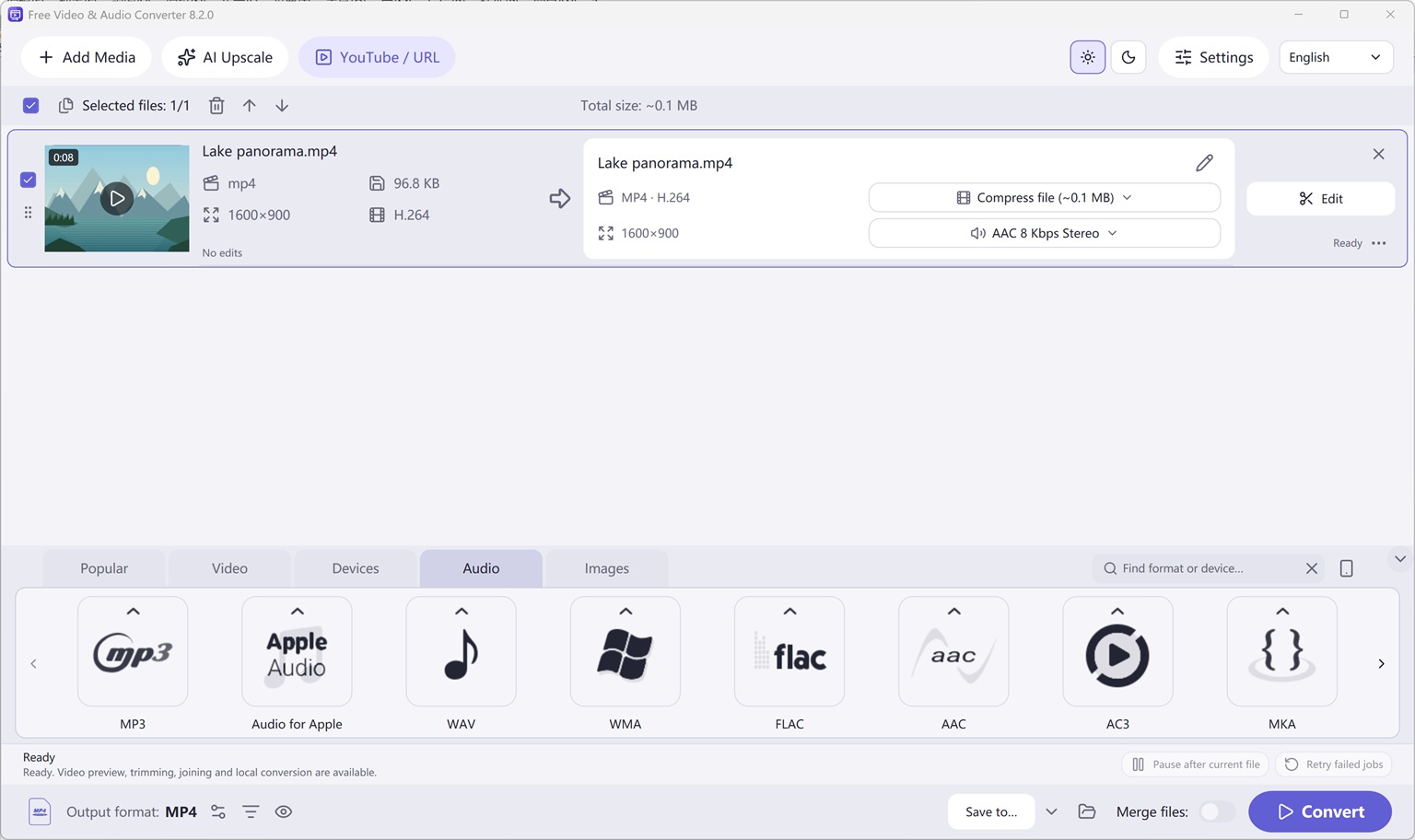
Free Video & Audio Converter — Audio output families (MP3, FLAC, WAV, M4A/AAC, OGG, WMA, Opus, AC-3) for extracting or converting sound.
Audio Output Formats & Extraction Original (1536 × 912 px)

Overview: How to Extract Audio from a Video (MP4, MKV, MOV to MP3 or WAV)

Extract soundtracks in batch with Free Video & Audio Converter or open video audio directly on the Free Audio Editor waveform.

With Free Video & Audio Converter, all 428 video, audio, and device conversion presets—plus trimming, merging, audio normalization, subtitle studio, local AI upscaling, and YouTube URL queueing—are available free on Windows 11 and Windows 10 (64-bit).
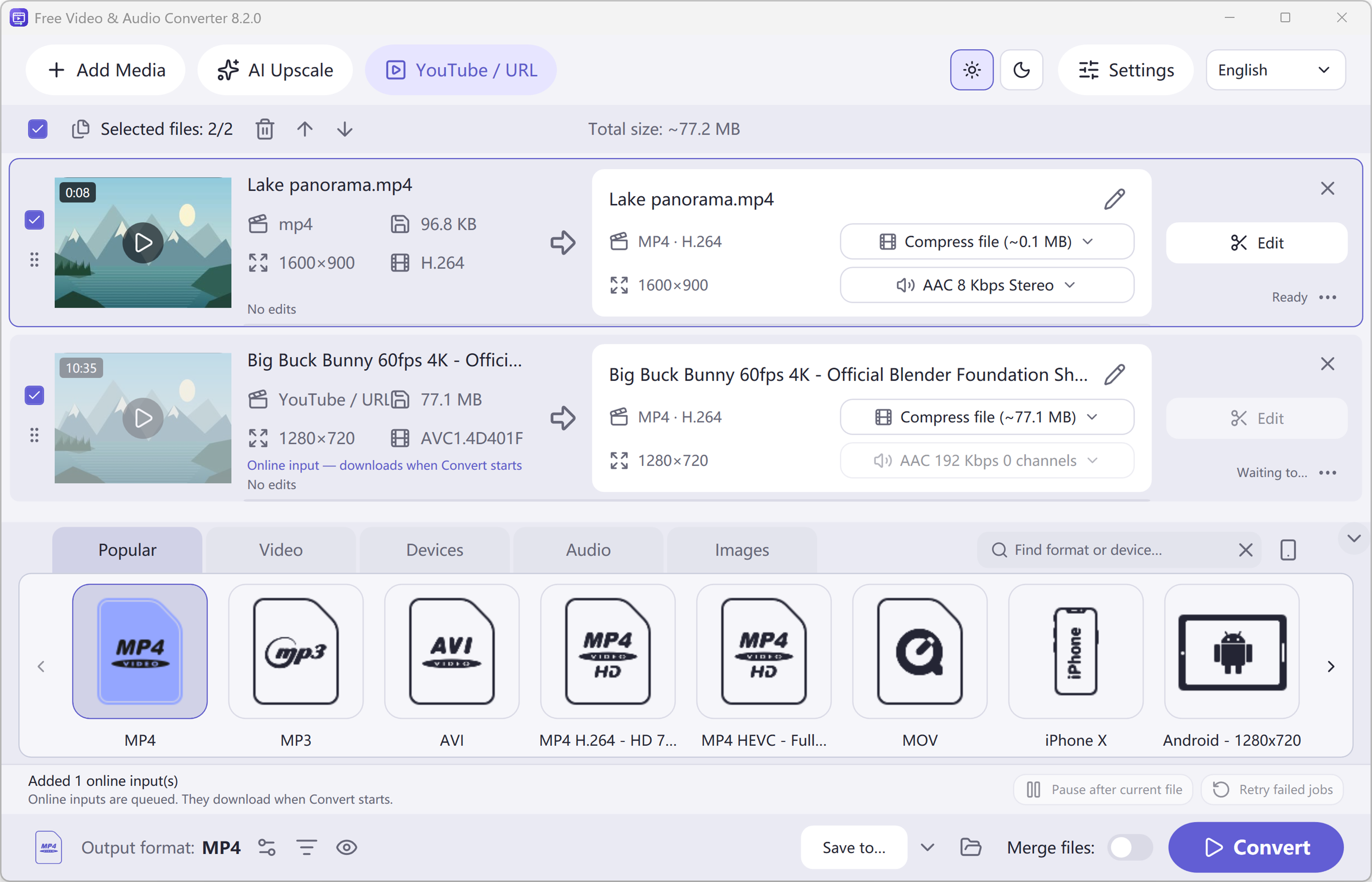
Free Video & Audio Converter — Light-theme main workspace with local and online sources, input/output summaries, format presets and Convert button.
Main Workspace & Queue (Light Theme) Original (2860 × 1838 px)

How to Do It in Free Video & Audio Converter (Step by Step)

  1. Step 1: Download & Launch the Windows Installer

    Install and open Free Video & Audio Converter on Windows 11 or Windows 10.

  2. Step 2: Load Your Audio or Video File

    Drag and drop your media files directly into the workspace.

  3. Step 3: Process & Export Locally

    Select your target preset and click Convert for fast local output.

Try it on your own files

Free Video & Audio Converter is free for Windows 11 & Windows 10. Install it in about a minute.

Download Free Video & Audio Converter

Button names in the guide below may differ slightly from the current version. In Free Video & Audio Converter, drag your files into the window, choose a format at the bottom and click Convert.

More Details & Tips

To extract audio from a video, pull the soundtrack off the picture and save it as MP3 or WAV. A short stretch can be done in the browser. A whole movie, a batch, or a file the browser cannot read belongs in the Windows app.

Extract a short soundtrack online

  1. Open Video to Audio or Audio Extractor. They do the same preview. The download button on each page is that product’s Windows installer.
  2. Choose one video under about 50 MB.
  3. If the video is longer than about 4 minutes, type a start and an end that cover the stretch you want. The gap must be about 4 minutes or less.
  4. Choose MP3 for a share copy, or WAV if you will edit the sound again. 192 kbps is a solid MP3 starting point. Use 128 kbps for speech.
  5. Click Convert. When it finishes, download the file. It lives in this tab until you save it. Closing the tab drops it.
  6. Play the start and the end. If a word is cut off, widen the range by a fraction of a second and convert again.

When the Windows app is the right tool

  • The video is a full episode, a movie, or anything past the preview length.
  • You have a folder of videos.
  • The browser says it cannot read the file. Some phone and camera formats need the desktop converter.
  • You want the soundtrack saved on the PC, not only downloaded from a tab.

Free Video to Audio Converter is the Windows installer for this job: Download Free Video & Audio Converter. Easy Audio Extractor is the other Windows installer for the same kind of extract: Download Free Video & Audio Converter. After it is on disk you can trim, fade, or clean the result in Free Audio Editor.

Frequently asked questions

Can I turn an MP4 into an MP3?

Yes. That is this extract. Open the video, choose MP3, and convert the stretch you need.

Does the video get uploaded?

No. The preview runs in the browser. A private recording should not go to a random website converter.

Why will a long video not finish here?

The page is a preview of about four minutes. The Windows app is built for the rest of the file.

The result has no sound.

The video may not have an audio track, or the range you typed is a silent stretch. Play that range in a video player, then extract it again.

Get Free Video & Audio Converter

Free download for Windows 11 & Windows 10 (64-bit).

Download Free Video & Audio Converter

Two Complete Windows Desktop Programs by FAEMedia

Waveform Editor & Voice Studio

Free Audio Editor

Precision stereo waveform & spectrogram editing, microphone + Windows system audio recording, and multi-stage voice cleanup.

  • Waveform & Multitrack: Cut, trim, crossfade, zero-crossing snap, seamless loops, markers, and multitrack mixer.
  • Repair Studio & Podcast Chain: De-click, de-hum, de-clip, de-ess, de-breath, voice noise reduction, 20-band EQ, compressor & LUFS loudness matching.
  • Edition Rights: Audio editing, project saving, and WAV export are free without registration. Registration (Upgrade) unlocks MP3, FLAC, ALAC, AAC, OGG, Opus, WMA & additional export formats.
All-In-One Video, Audio & YouTube Converter

Free Video & Audio Converter

Unifies Free Audio Converter, Free Video to Audio Converter, Easy Audio Extractor, Easy Video Switch, and Easy YouTube to MP3 Converter in one application.

  • 428 Built-in Presets: Convert video (MP4, MKV, MOV, AVI, HEVC, AV1), audio (MP3, FLAC, WAV, AAC, M4A, OGG, Opus, WMA) & device profiles.
  • Edit, Compress & Upscale: Trim, merge, crop, add subtitles or watermarks, target file-size compression, local AI upscaling & DVD/Blu-ray authoring.
  • YouTube Queue & Free Export: Read online video or playlist formats, add to queue, and convert. All supported conversion & export features are free.

Try It Online — or Get the Full Version Free

Our online tools are perfect for one short clip. For whole folders, full-length movies, YouTube playlists and noise removal, the free Windows programs are faster, aren't limited by browser memory, and keep your files on your PC.

Online Audio Editor

Short clip waveform preview in browser. Full recordings & Repair Studio in desktop app.

Online Audio Converter

Convert short WAV, M4A, FLAC, or OGG clips to MP3 in browser.

Online Video to Audio

Turn a short MP4, MOV, or WebM into MP3 in your tab.

Online Audio Extractor

Pull a short soundtrack segment with fade controls.

Online Video Converter

Convert a short video clip to MP4 or WebM in browser.