A recording can sound clean while someone is talking, yet reveal a low musical buzz in every pause. A hum tends to hold one pitch. Hiss sounds more like air escaping. Listen for that difference before applying a repair to the whole file.
Listen for a pitch in the background
Find a pause followed by a softly spoken word or a sustained note. Play both at an ordinary listening volume. A steady pitched buzz through the pause is a good candidate for De-hum. A rustle that only happens as someone moves the microphone needs a different edit.
If you mainly hear fan noise or a constant shushing sound, use the general noise reduction guide to choose a treatment for speech.
Compare Auto, 50 Hz and 60 Hz
- Select a short passage that contains both the buzz and something you want to keep. A quiet note or a low voice gives you a better test than silence alone.
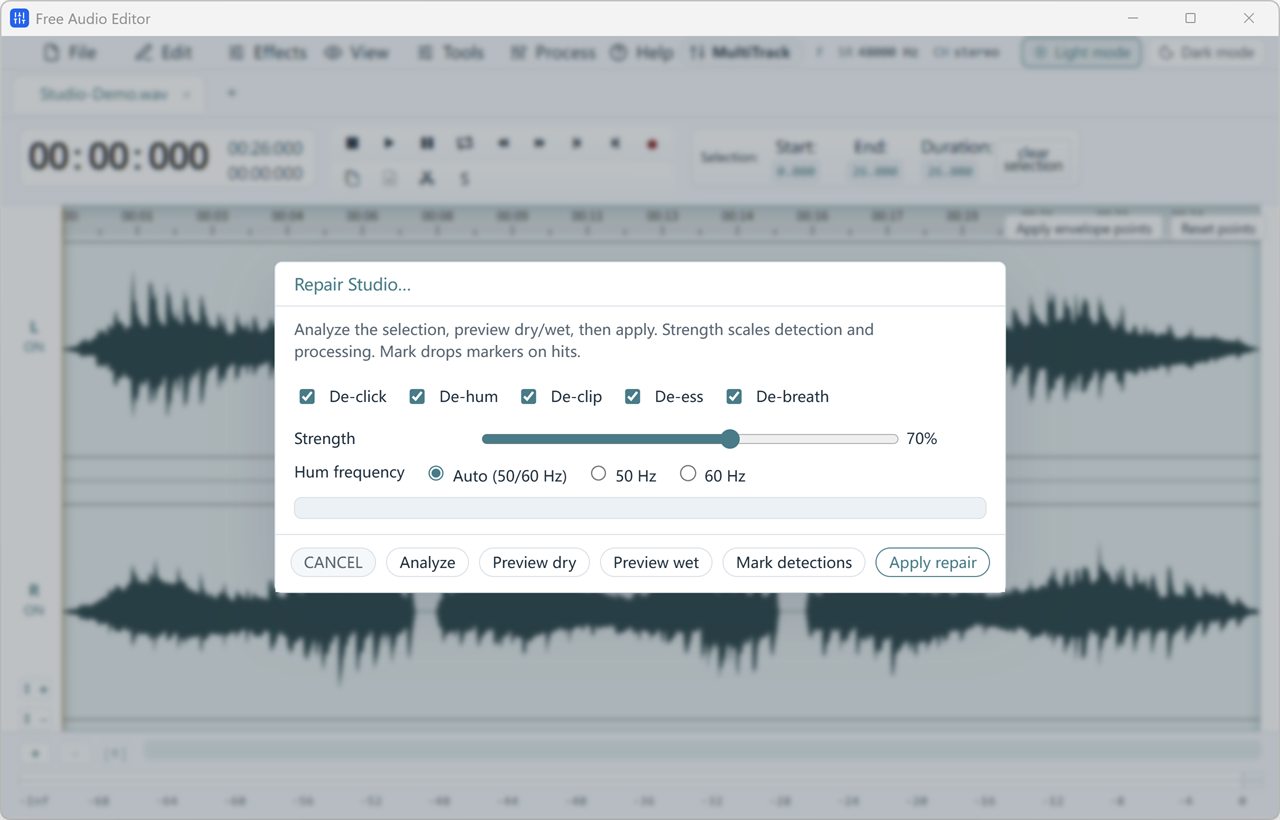
- Open Process > Repair Studio. Enable De-hum and turn off the other repair stages for this test. Start with Auto (50/60 Hz) and choose Analyze.
- Listen to Preview dry, then Preview wet. If the buzz remains, compare the manual 50 Hz and 60 Hz options on the same selection at the same strength. Pick the one that takes down the buzz while keeping the voice or instrument clear.
Check the low notes as well as the silence
The hum can have higher, buzzy overtones as well as a low fundamental. De-hum targets the fundamental and its harmonics; a bass instrument may share some of those frequencies. If the gap sounds cleaner but a bass note turns hollow, reduce the strength and listen again.
A phone speaker may barely reproduce the fundamental. Use headphones or speakers that let you hear the problem in the original, and keep the playback volume fixed between comparisons.
Repair only the affected passage
If the hum starts halfway through an interview, select the affected section, confirm the setting and choose Apply repair. Play across both edges of the edit. If the same noise persists through the entire take, use the tested setting on a fresh copy of the affected track. Keep the unprocessed recording.
If neither frequency changes what you hear, stop and identify the sound again. For a single high whistle that starts and stops, the spectrogram and frequency tools can help locate its time and frequency. For occasional sharp ticks, test De-click on one example instead.