Convert Online Videos to 3GP/3G2 or Modern Mobile MP4 Profiles
Need a compact 3GP/3G2 video for a feature phone or legacy mobile player, or an optimized MP4 for Android and iPhone? Free Video & Audio Converter includes dedicated 3GP/3G2 video presets alongside 428 total built-in profiles across 25+ device families.
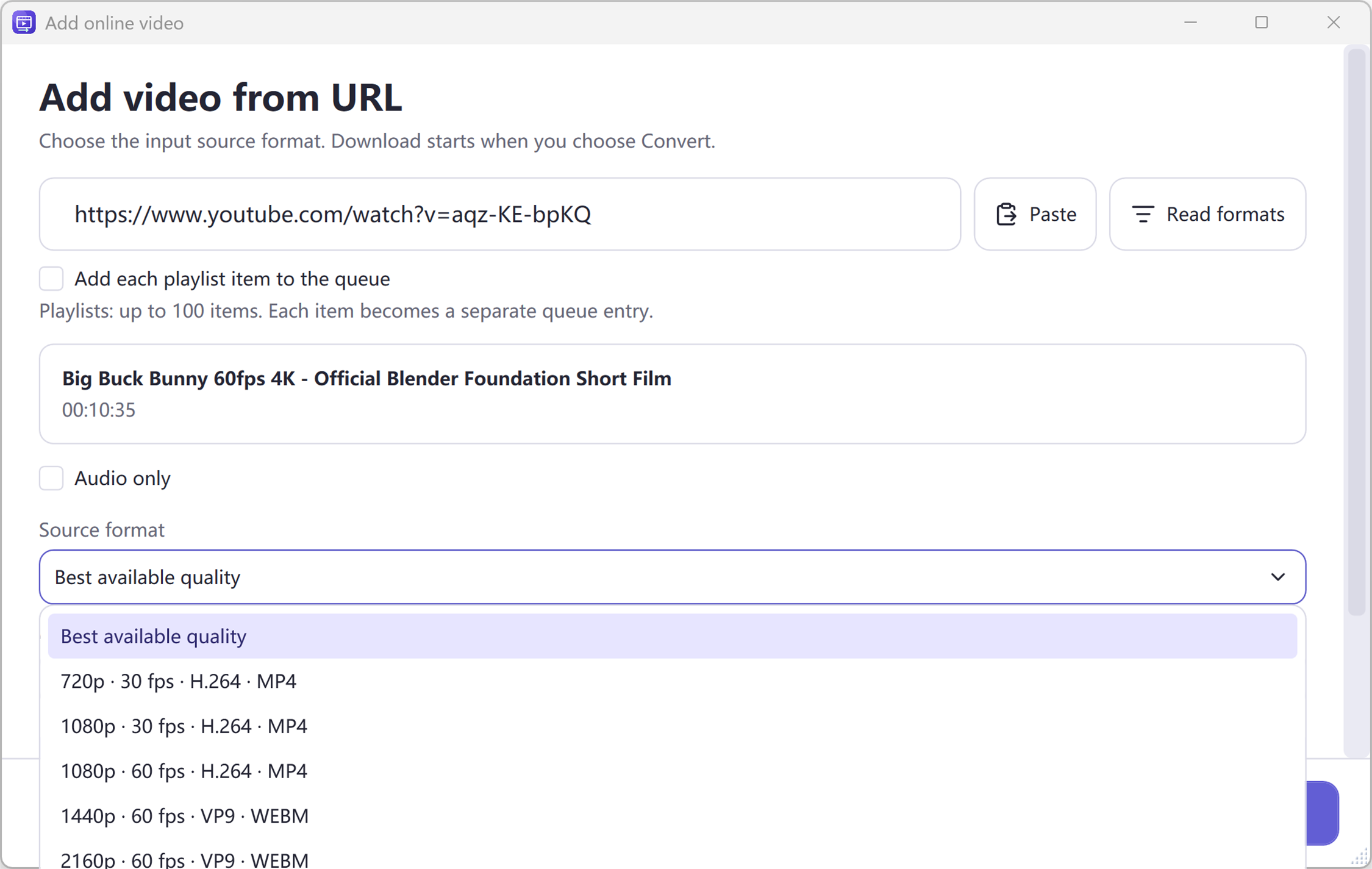
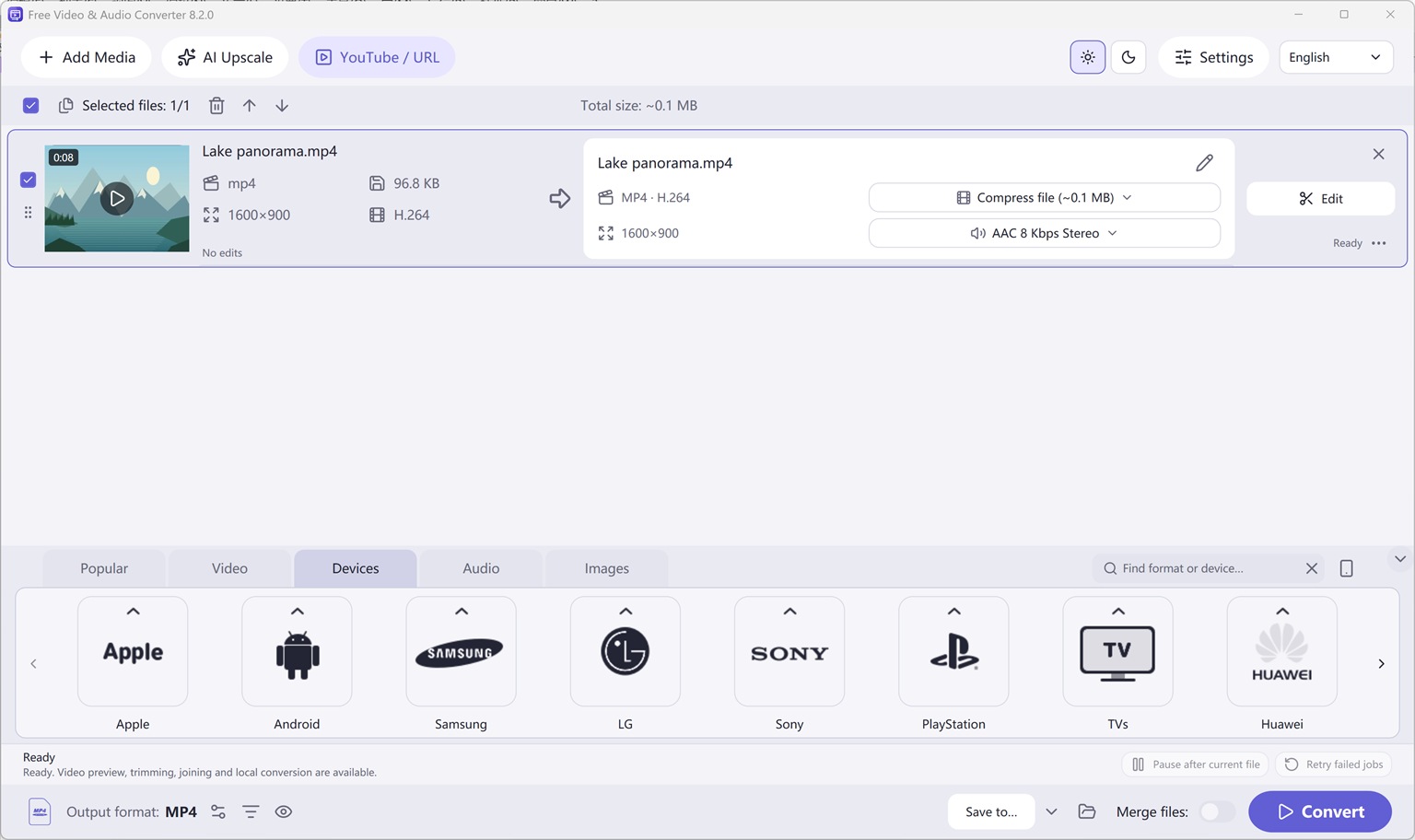
First add the online link via YouTube / URL > Read formats > Add to queue. Then select Video > 3GP/3G2 (or Devices > Android / Apple / Nokia / Samsung) on the main screen and click Convert.
How to Do It in Free Video & Audio Converter (Step by Step)
-
Step 1: Input Video URL & Click Read Formats
Open Free Video & Audio Converter, click YouTube / URL, paste the video link, and click Read formats.
-
Step 2: Choose Source Stream & Add to Queue
Select Best available or a compact source resolution and click Add to queue.
-
Step 3: Select 3GP / Mobile Output & Click Convert
Under the Video or Devices category on the main screen, select 3GP/3G2 or MP4 and click Convert.
Button names in the guide below may differ slightly from the current version. In Free Video & Audio Converter, drag your files into the window, choose a format at the bottom and click Convert.
Introduction
Ever wish you could save a YouTube file for later to watch on your cell phone? Easy YouTube to MP3 Converter makes it fast and easy to download and convert your favorite video into 3GP format for mobile playback. Simply put the URL of your favorite YouTube video into the program and let it do the rest. After a few minutes, you will be able to watch all your videos with your cell phone without taking a lot of space.
Step 1. Input Video URL
Enter the URL in the bar of “Fast link add”, then choose the link type from the dropdown menu of “Link type”, finally click “Add”.
Click “Add Link”, more options can be applied to input URL in different situations:
Add a link: for one single video or audio download, enter the URL in activated window and click “OK”;
Add links in batch: for more than one videos download, input the links (one link per line) in the popped up window and then click “OK”;
Add playlist/user: for videos from playlist or user download, enter the URL of the playlist or user in activated window and click “OK”;
Add playlists/users in batch: for videos of multiple playlists or users download, input the links (one link per line) in popped up window and then click “OK”;
Import links from a text file: to import URLs from a text file directly, choose the text file containing URLs (one link per line) in activated window and then click “Open”.
If you need to download videos from those sites which require logins, click “Password” and input the correct username and password in the activated “Username” & “Password” boxes, finally click “Add”.
Step 2. Choose Download Format
When the URL is added, you will see the links of all video formats from certain websites listed in the dropdown menu of “Format” along with the video thumbnail and details including resolution, codec, framerate, size, etc. Choose “3GP” as the output format. In the menu of “Profiles”, choose the profile for the converted video. The built in previewer allows you to preview the video before download by clicking “Preview”. If you need to delete download tasks, click “Clear All”.
Step 3. Start Video Download & Conversion
When all settings are ready, click “Download” to start video download. A progress bar and some details will be provided during the process. If you need to stop download, click “Stop”. Once the download is finished, the conversion will start in no time. When the conversion is complete, you can directly find the downloaded videos and converted videos by clicking “Open”.
More Advanced Settings
Click “Settings”, you will find a few more advanced settings provided: set max parallel downloads; download audio when a “DASH” video is selected; don’t download again if local file contains the same video; don’t load thumbs.
Frequently Asked Questions
Does Free Video & Audio Converter support both 3GP and modern smartphone formats?
Yes. It includes legacy 3GP/3G2 presets as well as H.264/HEVC MP4 profiles for Android, iPhone, iPad, Samsung, Xiaomi, Huawei, and feature phones.